Wish2Share: create and share an online wishlist
What is Wish2Share?
Wish2Share is a free online wishlist platform for Belgium and the Netherlands. Create a gift list, add products from any webshop and share one link with family and friends. They can view and reserve wishes, even without an account. You can also organize events such as birthdays, Christmas and Secret Santa with automatic name draws.
Popular occasions
Sinterklaas, Christmas and Secret Santa are coming up. Start a wishlist right away or find gift inspiration.
Birth list or wedding list?
Create a list that fits your moment, with gifts from any web shop.
Free contributions via bank QR, no fees
How does Wish2Share work?
Three simple steps to big moments of happiness
Create an event or wishlist
Start by creating a personal event or wishlist. Add your wishes or set up the details of your celebration.
Share with family and friends
Invite others to participate in your event or view your wishlist. Send them an invitation link.
Receive your gifts
Enjoy giving and receiving small and big moments of happiness.
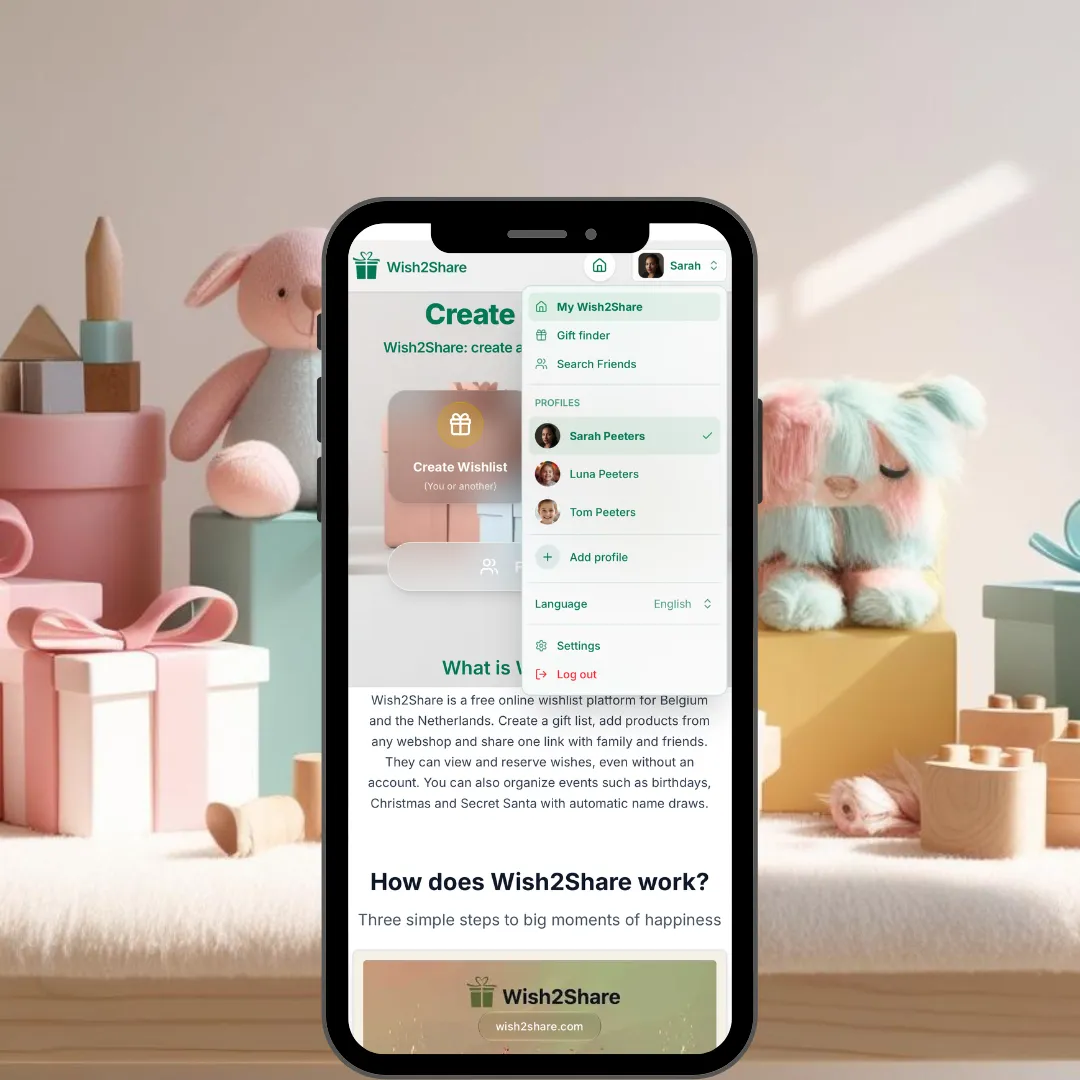
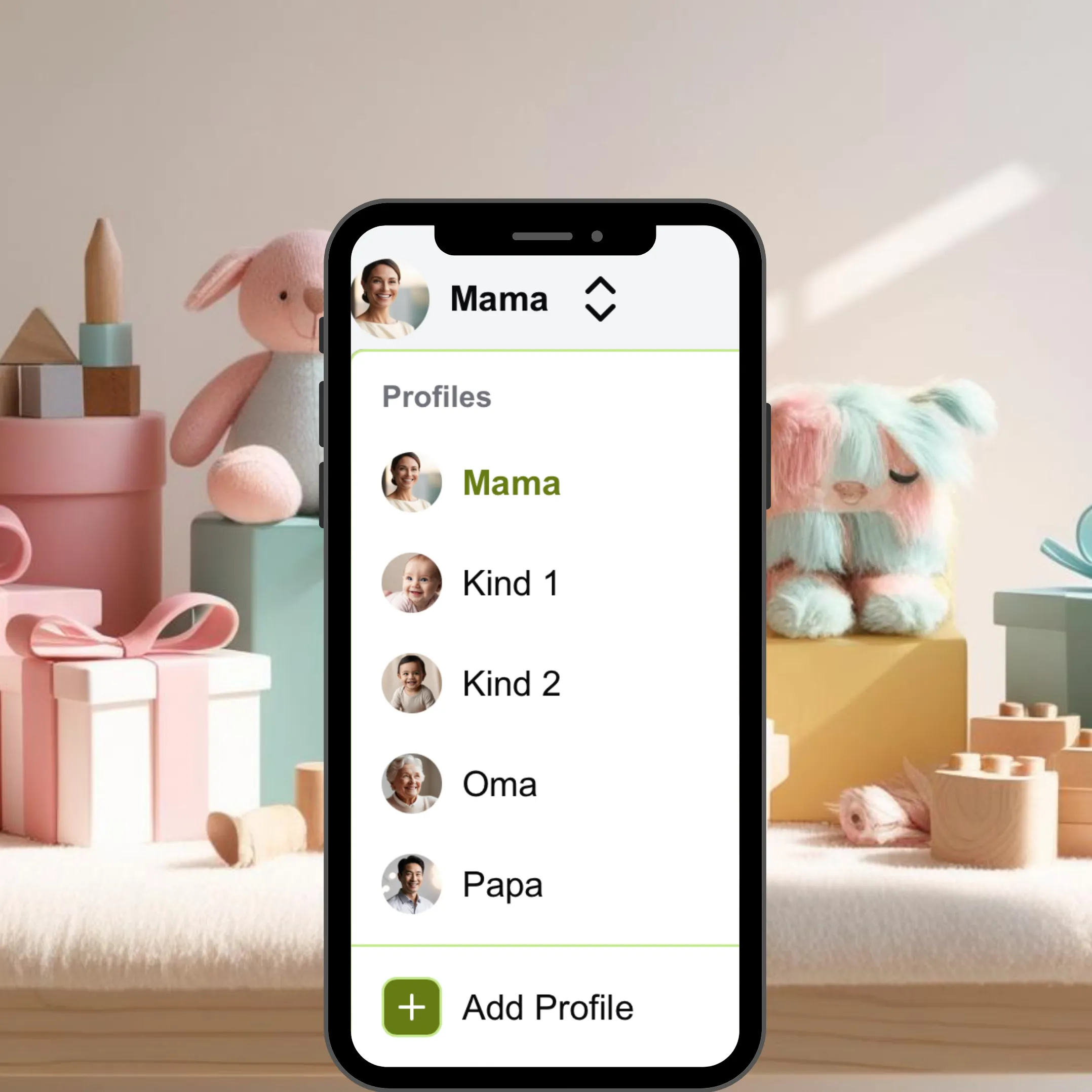
Manage profiles
- Create your own profile first
- Create profiles for your children, pets, and more within your profile
- Give profiles a name and photo
- Easily switch between different profiles
- Allow multiple people to manage a profile
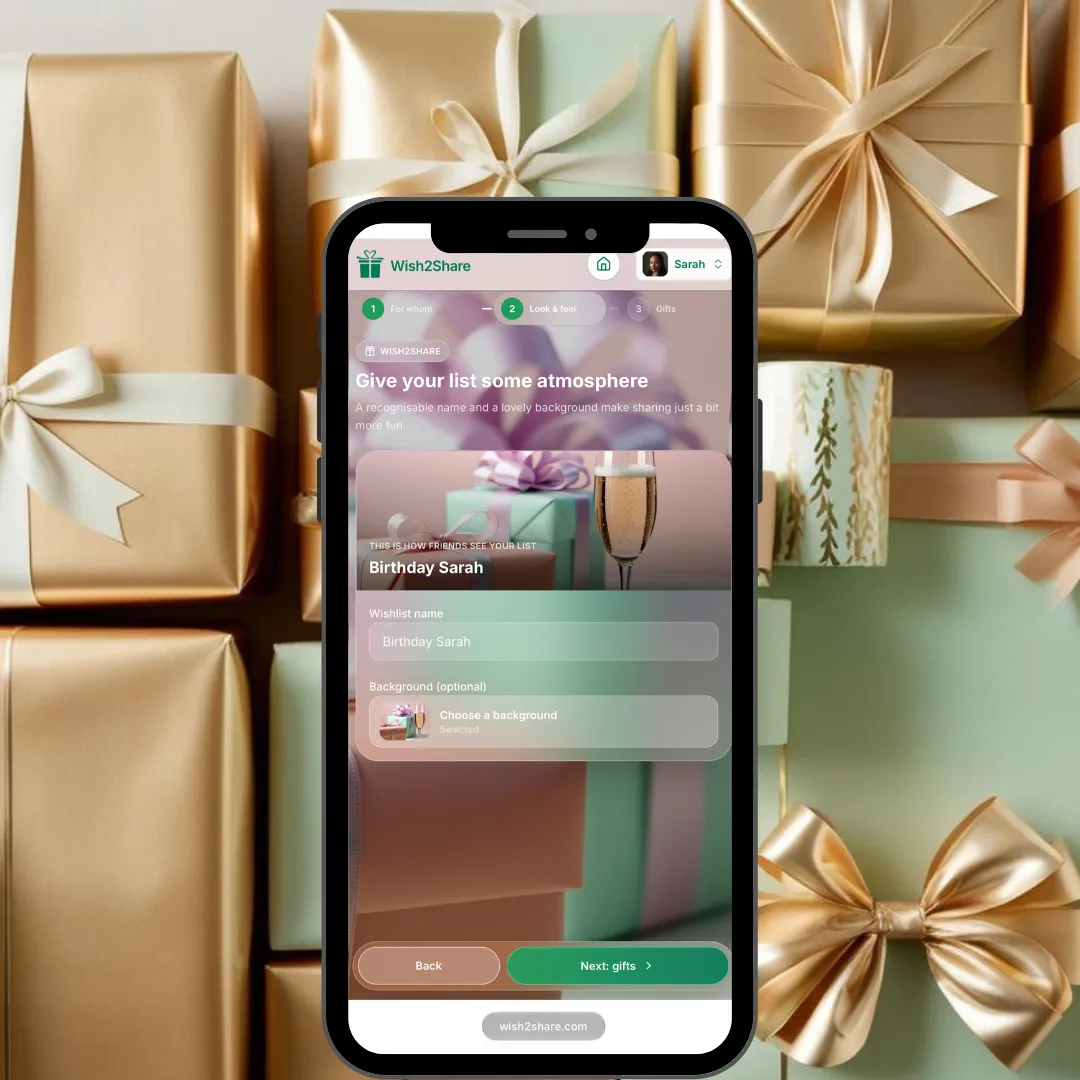
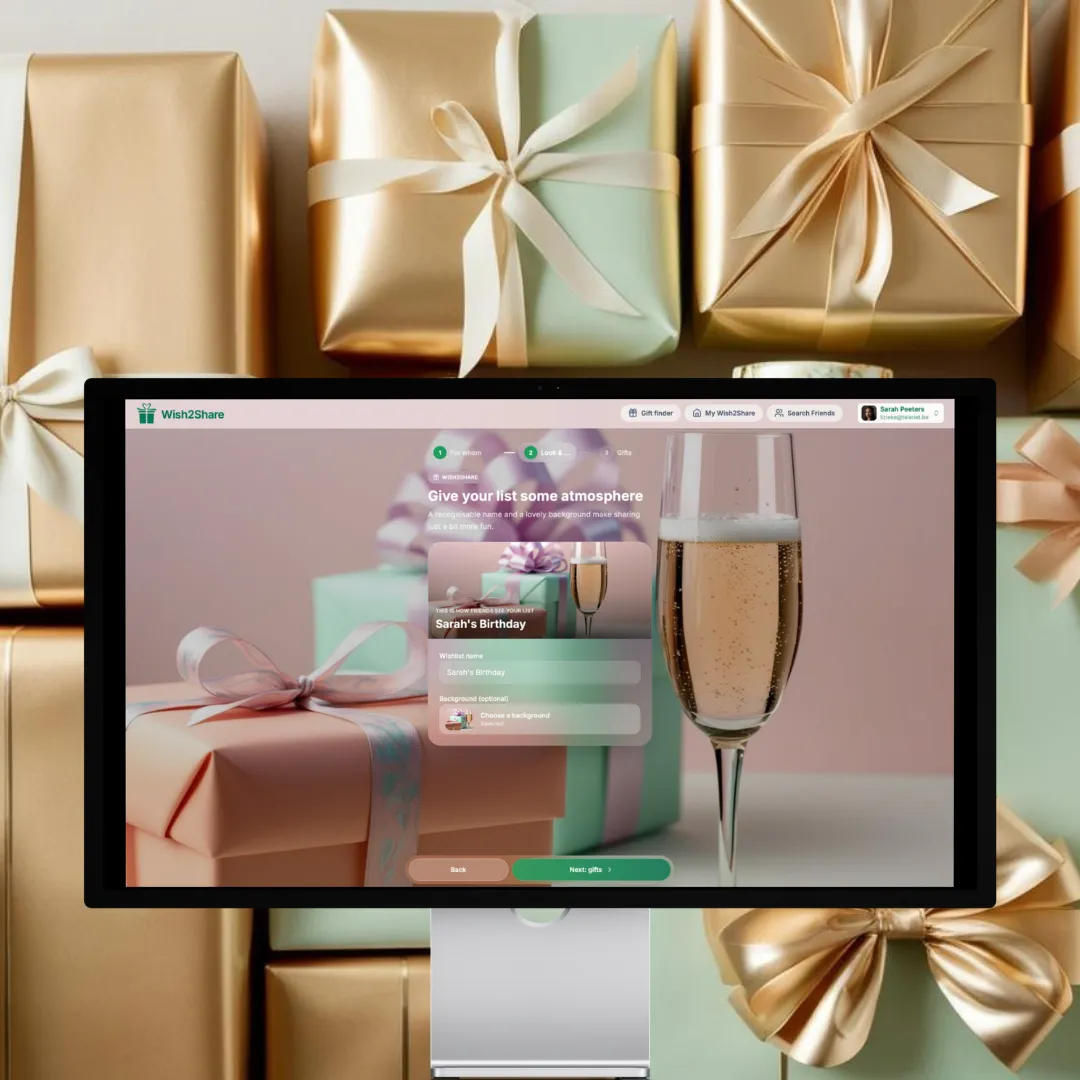
Create wishlists
- Choose who you want to create a wishlist for
- Add your favorite items
- Share the wishlist with others or link it to an event
- Everyone except the wishlist owner can see when an item is marked as purchased
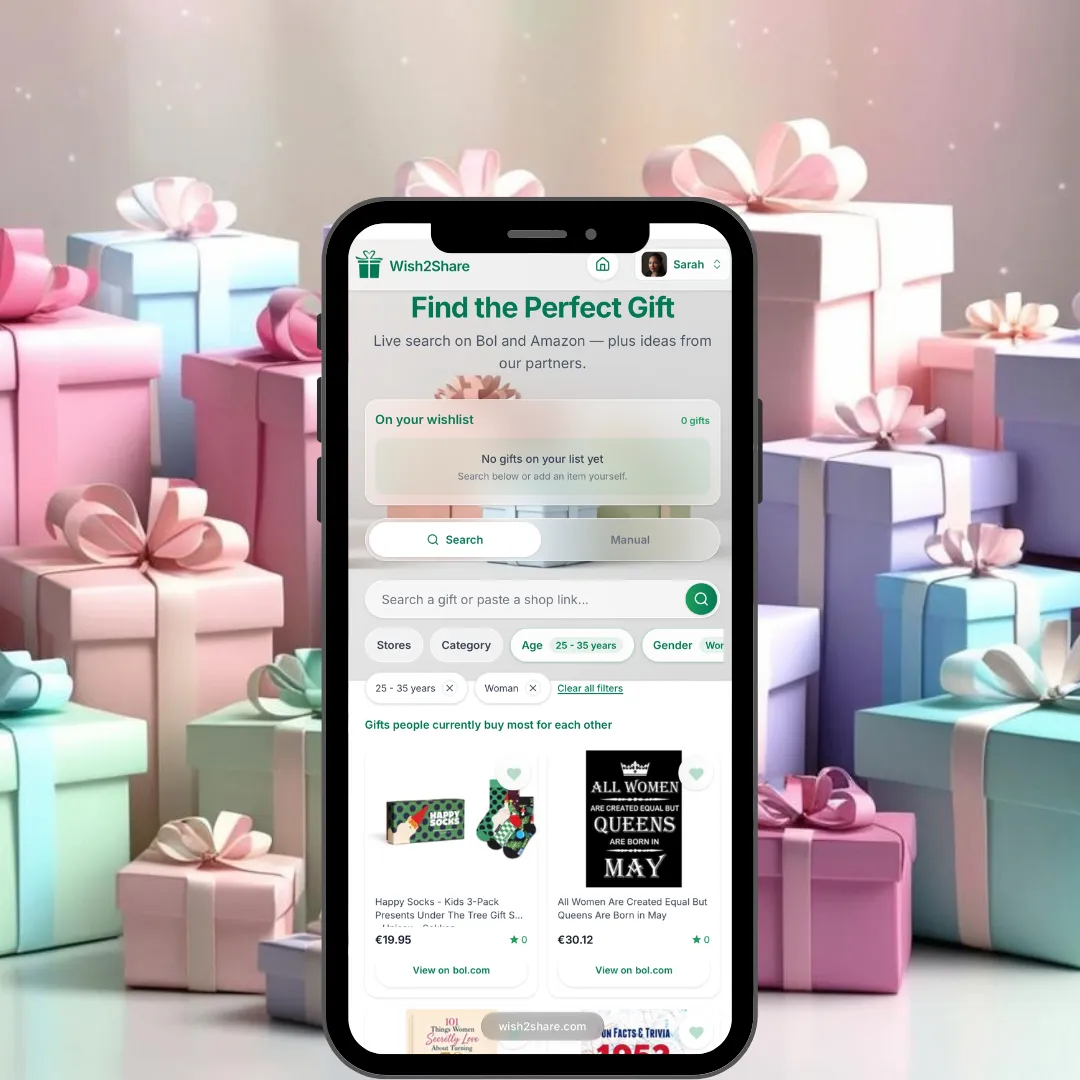
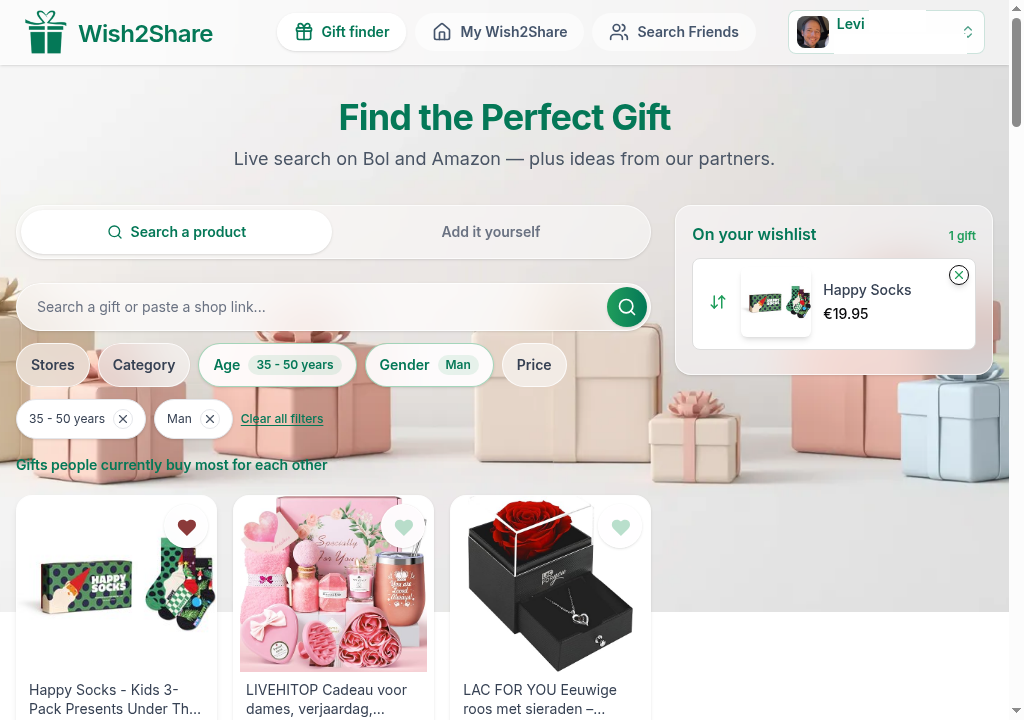
Gift finder
- Search gifts at partner stores like Bol and Amazon
- Filter by age, gender, price and category
- Add favourites to your wishlist in one click
- Open the product at the store when you are ready to buy
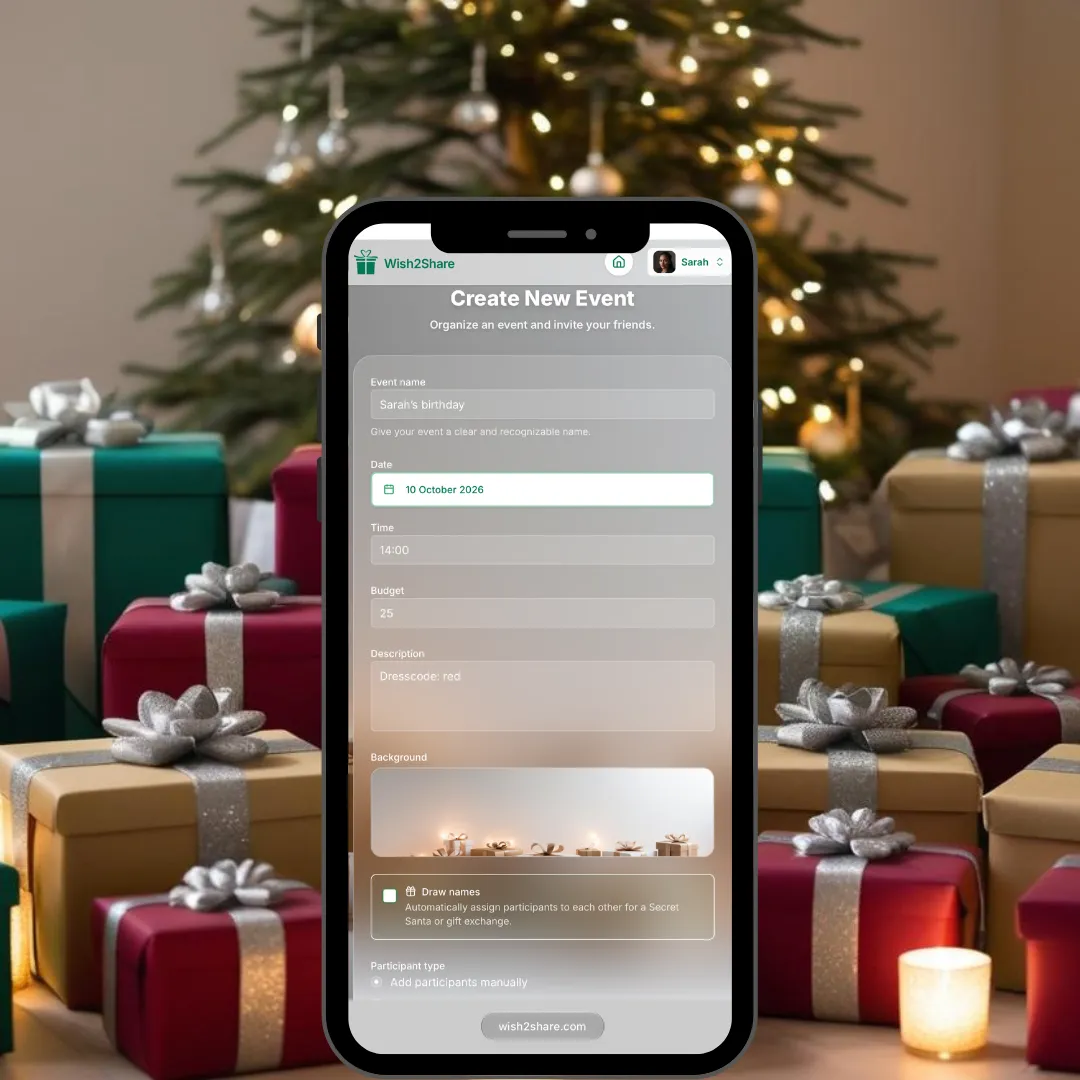
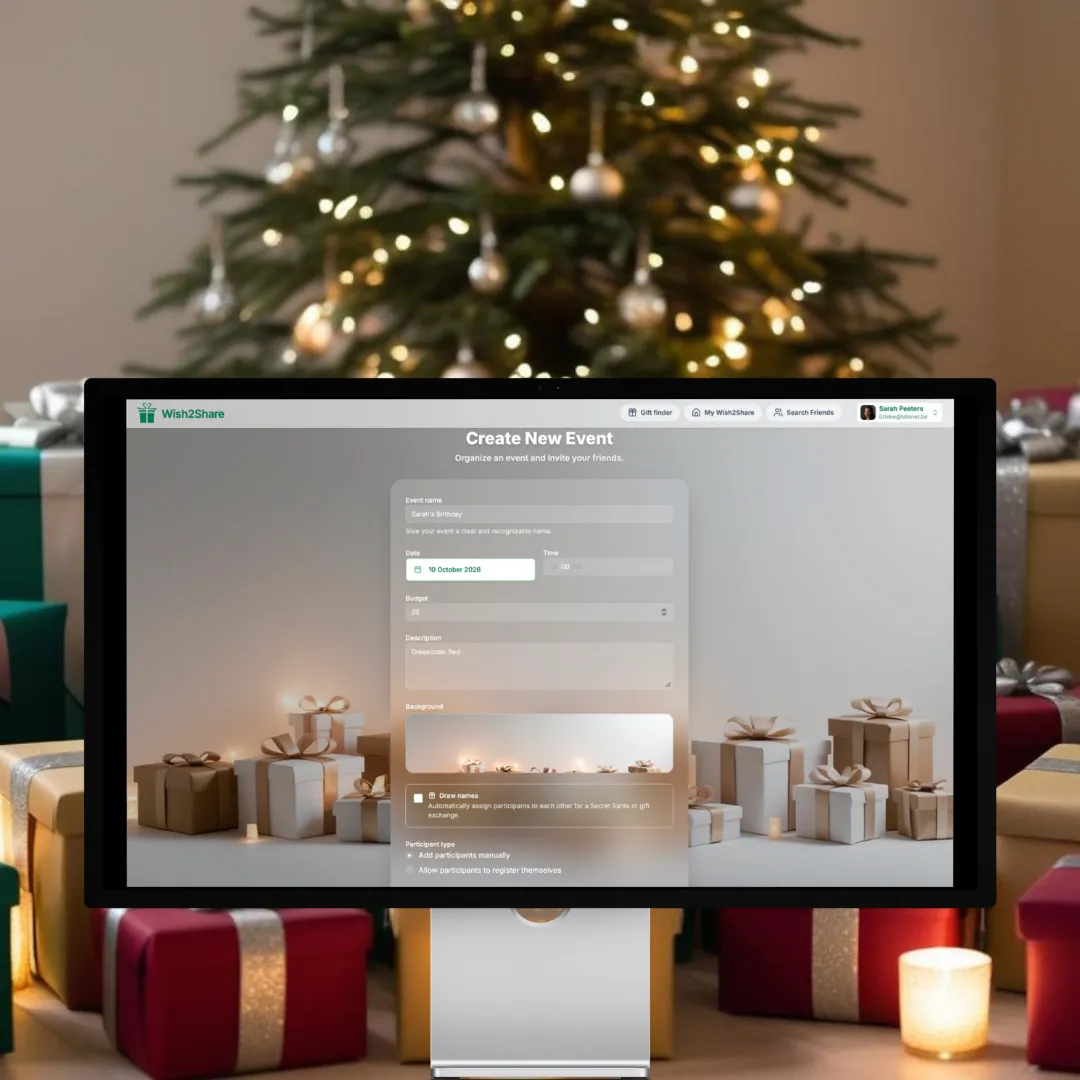
Organize events
- Set the date, location and budget
- Choose whether you want to draw names or not
- Add participants by sending an invitation link
- Link existing wishlists to the event
Draw names
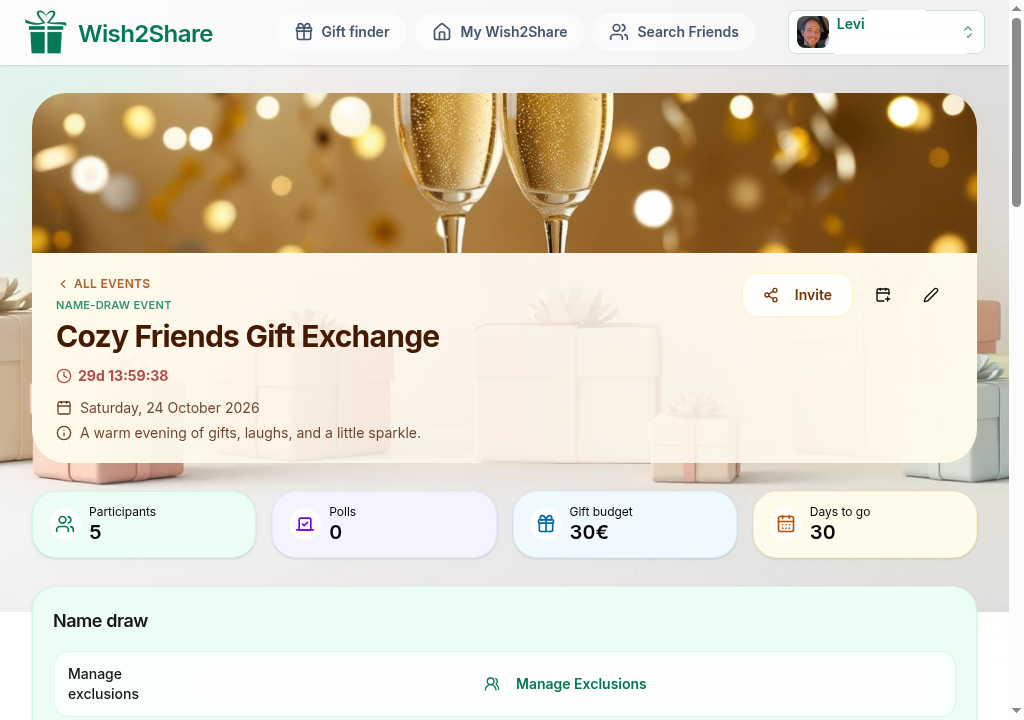
- Choose a date for your gift exchange and set a budget per person
- Invite all participants with a personal sign-up link
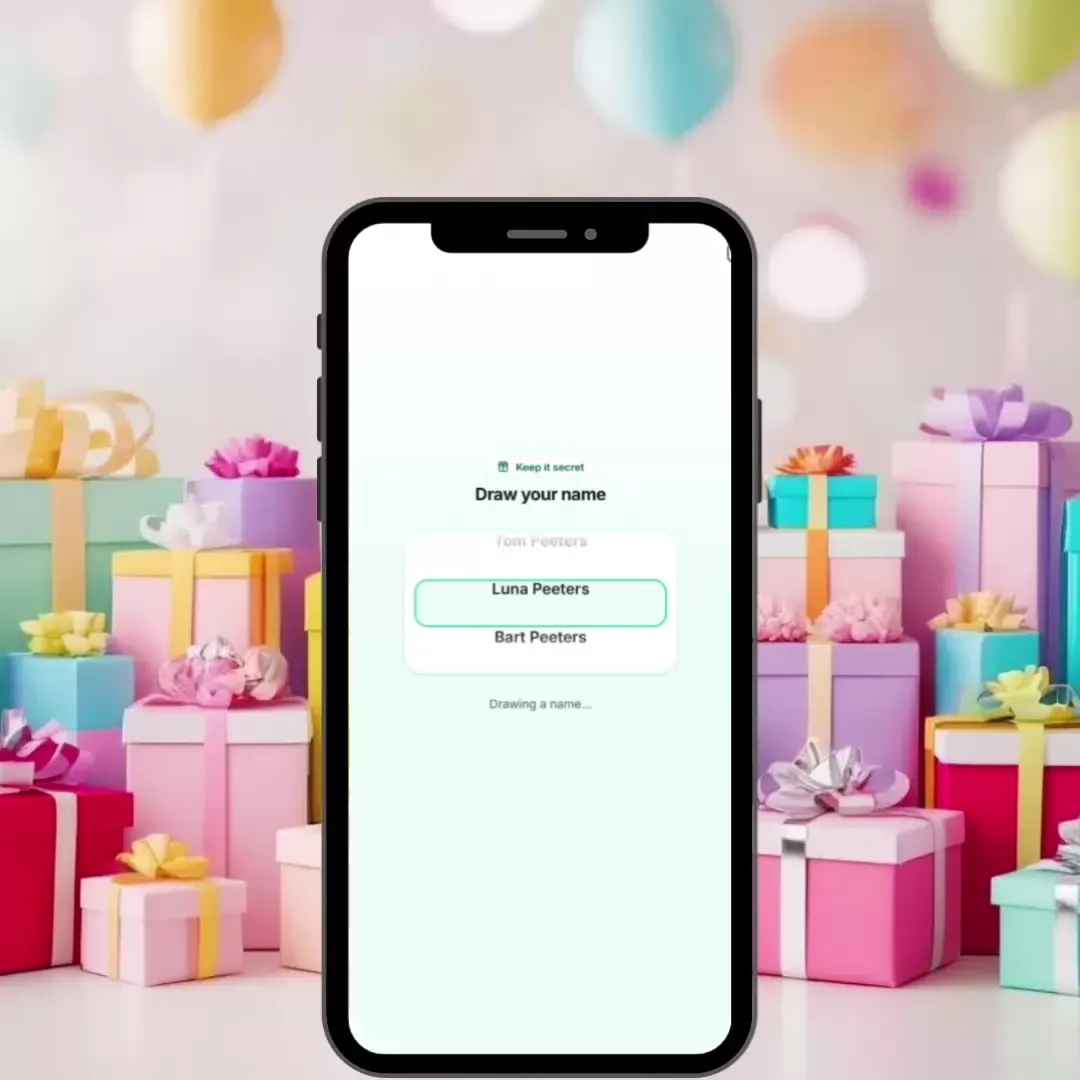
- Draw the names — no duplicates and no self-draws
- Everyone draws their own name on Wish2Share and sees the matching wishlist right away
Follow friends
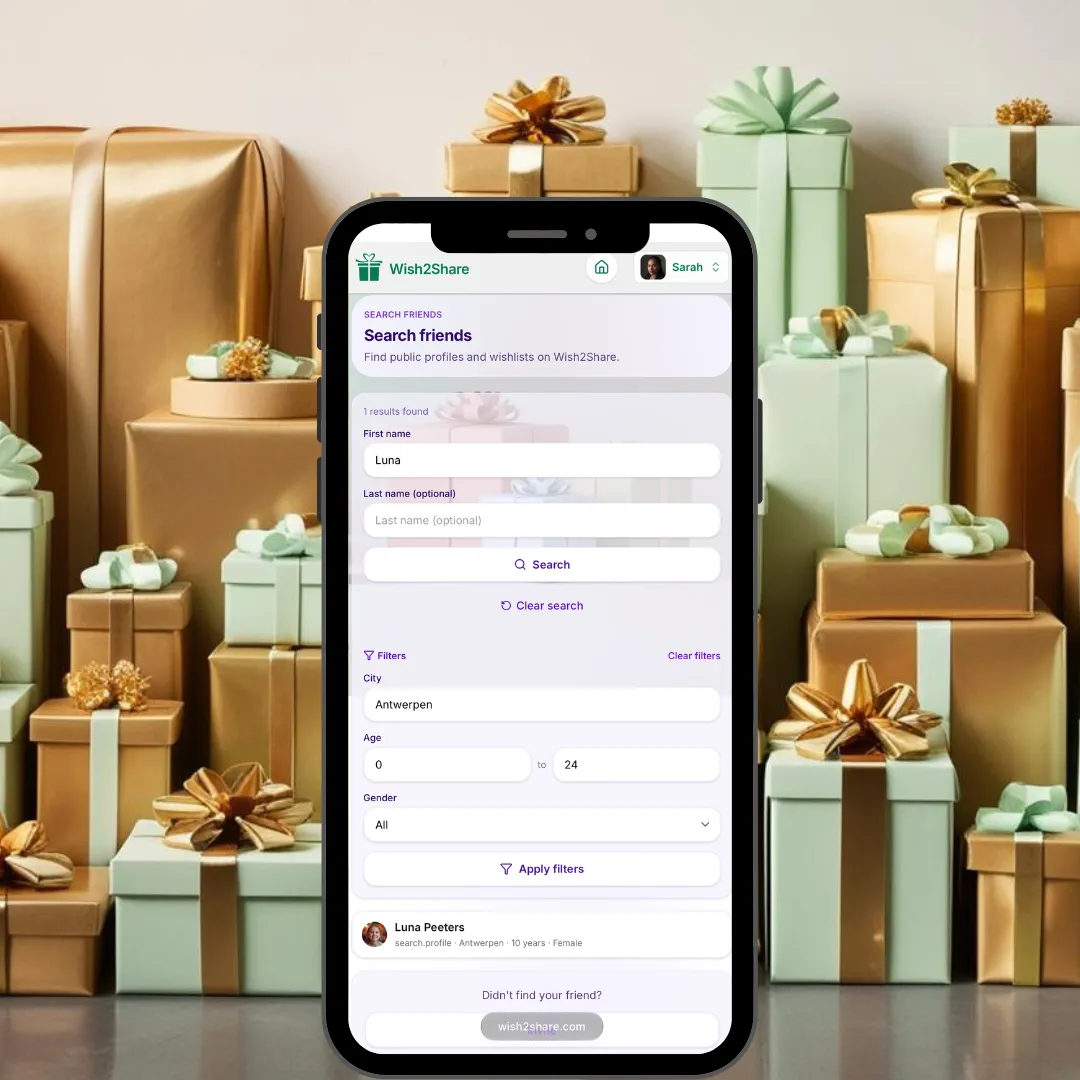
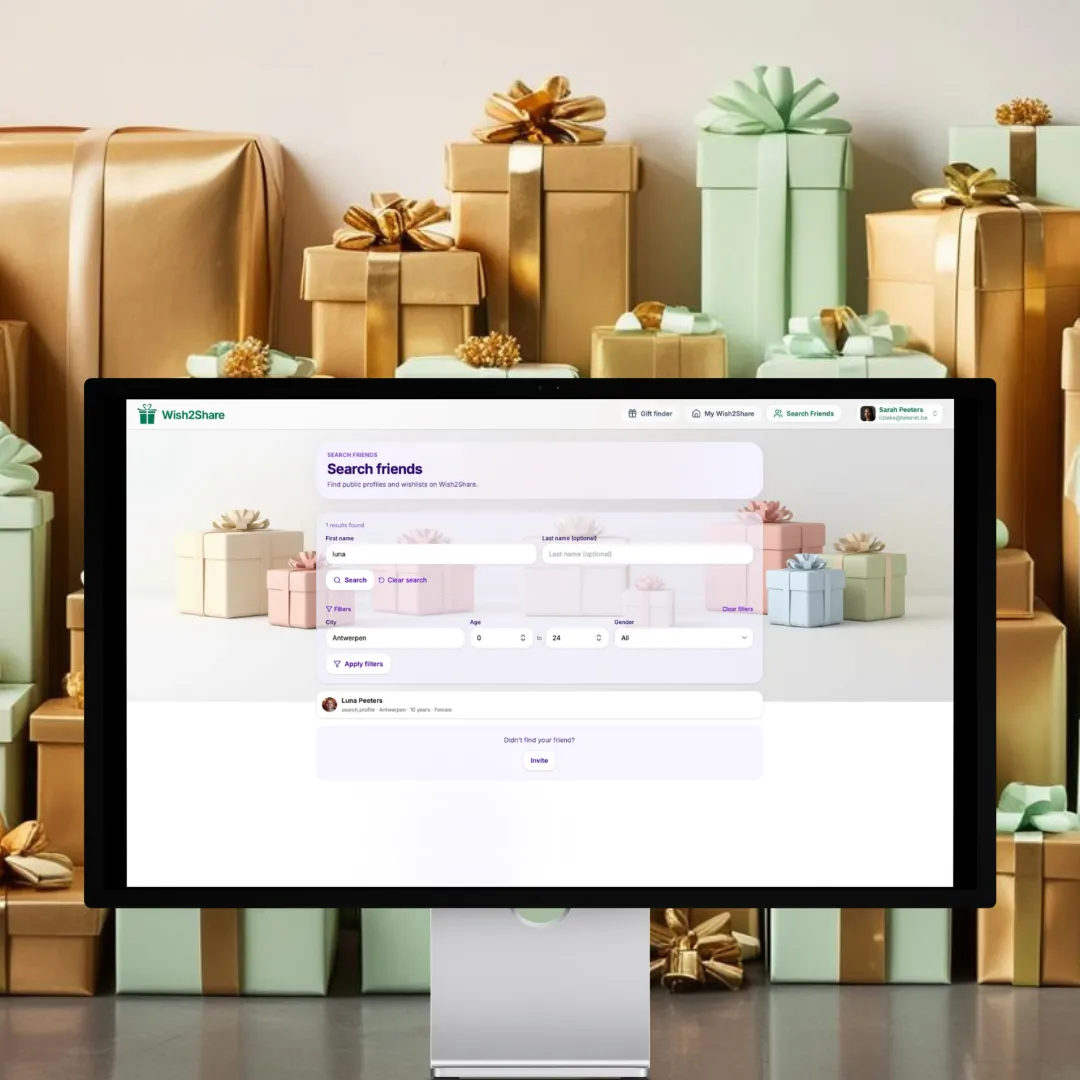
- Find friends using the "Find Friends" button
- Choose whether you want to follow a person or a wishlist
- Send an invitation if you cannot find the person
- Manage your followers and the people you follow in your dashboard
Frequently asked questions
- What is an online wishlist?
- An online wishlist is a digital wish list that you can create for free on Wish2Share. Add gifts and easily share your list with friends and family for occasions such as birthdays, Christmas, births, or weddings. This way, you always receive the right gifts and avoid duplicate presents.
- How can you draw names online for Secret Santa?
- With Wish2Share, you create a Secret Santa event, invite participants and pick who takes part (at least 3 registered participants). The platform assigns the names completely anonymously. Each participant then draws their own name on Wish2Share. No email ever reveals the name, and the organizer can't see who has whom either.
- Is creating a wishlist on Wish2Share free?
- Yes, creating, managing, and sharing wishlists and organizing events such as Secret Santa is completely free on Wish2Share.
- How do I share a wishlist with people without an account?
- Every wishlist has a unique shareable link. You can copy this link and send it via WhatsApp, email, or social media. Anyone with the link can view your list and mark gifts as purchased, even without a Wish2Share account.
- Can I make my wishlist private or public?
- Yes. You can set the privacy level for every wishlist. Choose between Private or Public. You are always in full control.
- Can I organize an event and link my wishlist to it?
- Absolutely. You can create an event and link one or multiple wishlists so guests can immediately see your gift ideas.
- Is Wish2Share a good alternative to a baby registry?
- Yes, Wish2Share is a flexible alternative to a traditional baby registry. Add products from any webshop and share one simple link with everyone.
- How does a group gift work?
- When organizing an event, participants can contribute together towards a larger gift.
Ready to make wishes come true?
Create a wishlist or event and invite your family and friends right away.